PPlanora Booking← Back to Planora

Shopify-native booking

Sell time like it is a Shopify product.

Planora turns appointments, rentals and classes into a seamless part of your storefront. Your product page, your cart, your checkout — with real availability behind every purchase.

Available on Shopify App StoreInstall from the Shopify App Store and start with your existing products.
Productsstay products
Checkoutstays yours
Bookingsstay protected
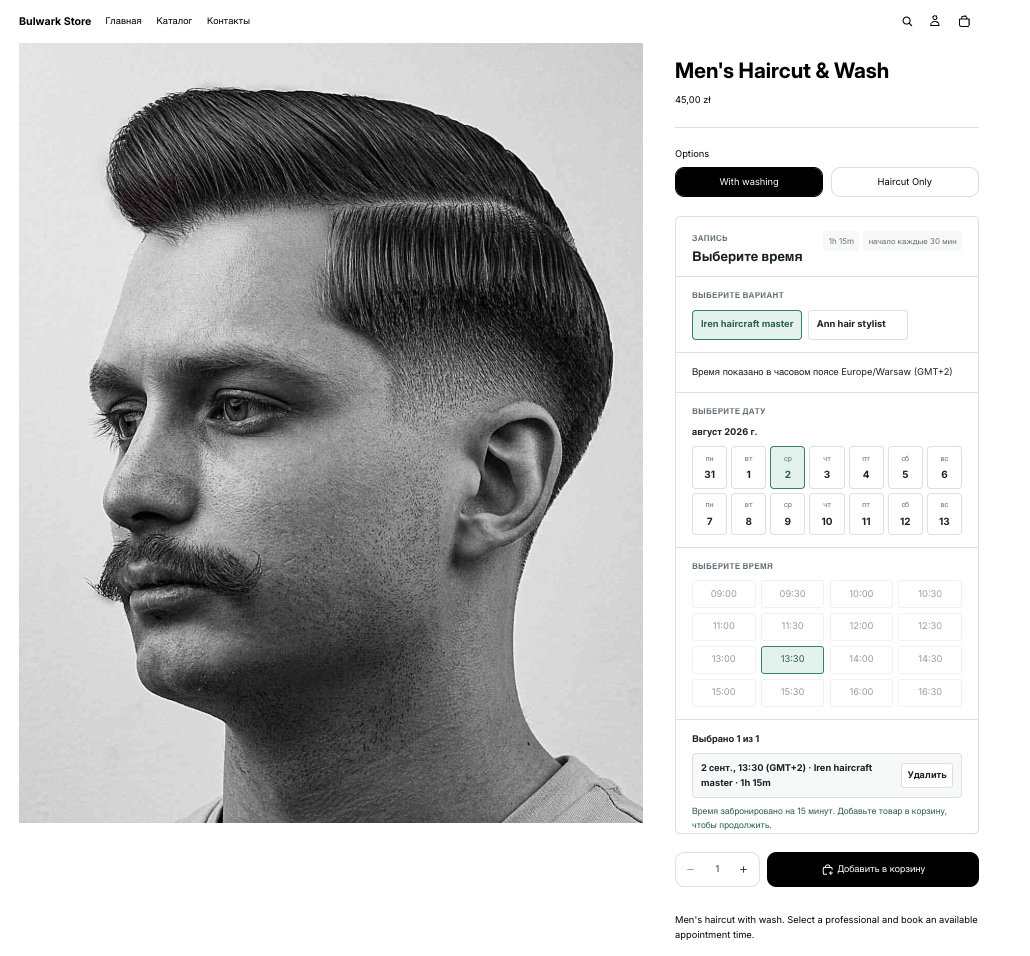
Your storefront · Booking picker
Planora booking picker on a Shopify product page
Made for service businesses, rentals, experiences, studios, schools and any store that sells scheduled time.

A booking system that respects your store

Everything happens where your customers already buy.

⌚

Availability on the product page

Add the picker once in Shopify’s theme editor. Customers choose a staff member, date and time before Add to cart becomes available.

✓

Checkout-safe reservations

A selected slot is held immediately. If that hold expires, checkout validation prevents an order from taking time that is no longer available.

✦

Paid orders become bookings

When Shopify reports payment, the hold becomes a confirmed booking in the resource calendar — with a customer confirmation and calendar invite.

Built for your product catalog
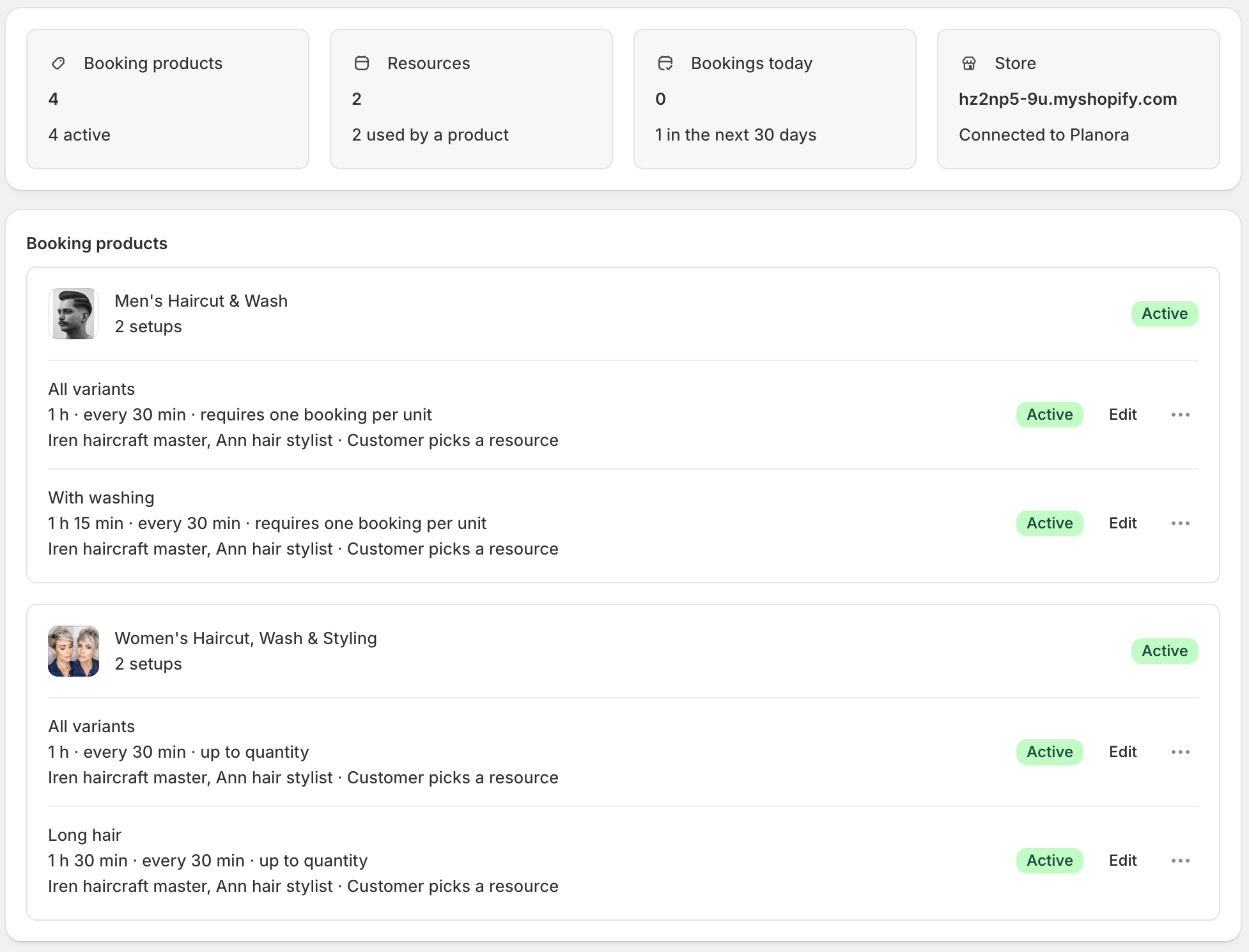
Set up booking rules alongside your Shopify variants.

  • Products stay nativeUse your existing Shopify products and options — no duplicate catalog to maintain.
  • A setup for every serviceGive each variant the duration, start interval and booking quantity it needs.
  • Resources where they belongConnect the relevant staff, rooms or equipment to each bookable setup.
Planora Booking products list with variant-specific booking setups

Made to fit your business

More control. No booking tax.

The storefront picker follows Shopify’s active language: English, Deutsch, Español, Français, Polski and Русский.

$

No transaction fees

Keep the revenue from every appointment, rental and class. Planora does not charge an extra fee on your bookings.

↔

Flexible by default

Choose durations, intervals, booking horizons, resource assignment and customer-facing time zone behavior per setup.

✎

Make the picker yours

Refine the look with custom CSS, rename every booking step and CTA, or keep Planora’s translated defaults.

No one-size-fits-all duration

One product. Every variant can book differently.

A wash and haircut can take 75 minutes while a haircut takes 60. A long-hair service can require another team member. Planora lets each Shopify variant carry its own booking rules.

✓Variant-specific duration

Set a different service length and start interval for every option.

✓The right resources

Assign staff, rooms, equipment or any bookable resource per setup.

✓Quantity-aware booking

Require one time per item or let customers book up to their cart quantity.

✓Storefront-ready controls

Let customers choose their resource — or assign any available one automatically.
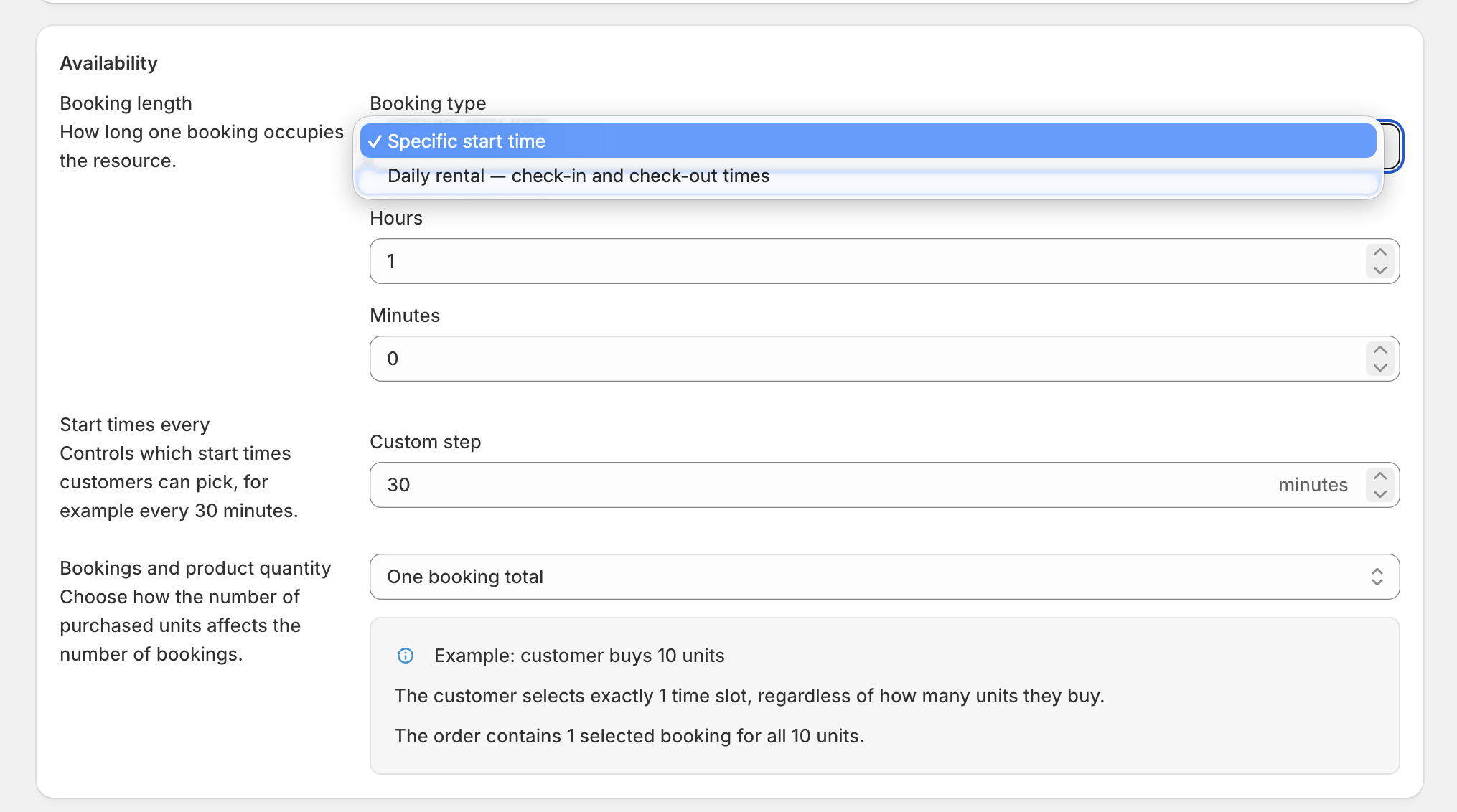
Planora settings for time-slot bookings and daily rentals

Slots or days

Sell appointments by the slot — or rentals by the day.

  • Specific start timesOffer appointment slots at the interval that fits the service: every 15 minutes, 30 minutes or your own cadence.
  • Daily rentalsLet customers choose check-in and check-out dates while Planora keeps the resource occupied for the right days.
  • Quantity-aware bookingRequire one booking for the whole cart or let every purchased unit reserve its own time.
  • Control the detailsSet booking horizons, customer time zones, time formats and conflict recovery for your storefront.

A real rental flow

Turn any Shopify product into a multi-day rental.

  • Pick the dates that workCustomers select every day they need, with check-in and check-out times shown clearly.
  • Hold the full rental periodEvery selected day is reserved while the customer completes Shopify checkout.
  • Keep your product pagePlanora adds the rental flow to your existing storefront — the product, cart and payment stay Shopify-native.
A Shopify product page with Planora multi-day BMW rental booking
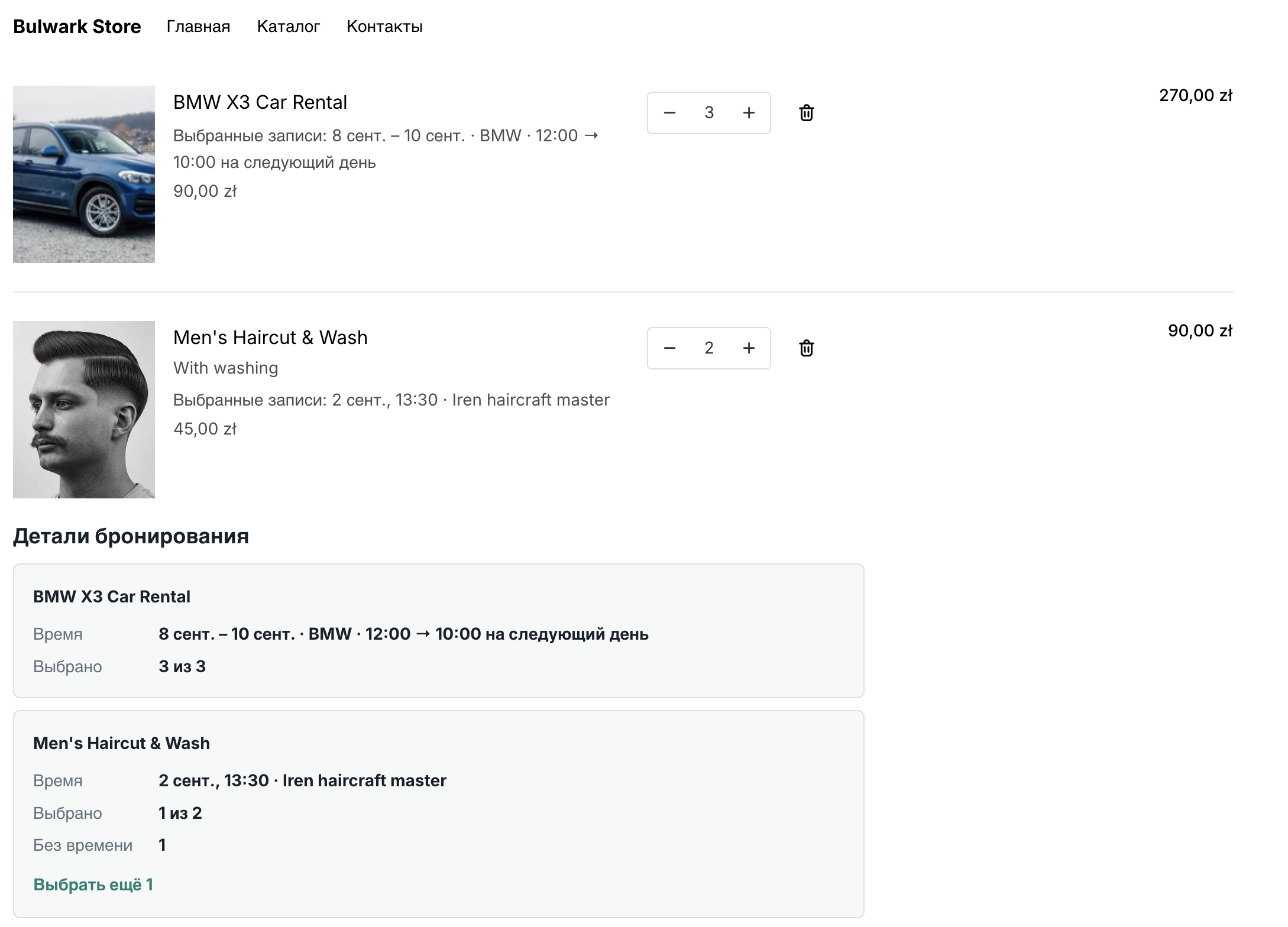
Shopify cart with a daily car rental and an appointment booking managed by Planora

One cart, every booking

Appointments and multi-day rentals work together at checkout.

  • Mix booking types freelyCustomers can add a haircut appointment and a three-day car rental to one Shopify cart.
  • Booking details stay visibleEach line item keeps its selected dates, times, resource and quantity clear in the cart.
  • Validation before paymentPlanora re-checks each reservation before checkout so unavailable time cannot be sold.

Now available in the Shopify App Store

Make your Shopify catalog bookable — without giving up your checkout.

Install Planora Booking, add the picker in the theme editor, and sell your first time slot from the product page you already own.

Available on Shopify App Store